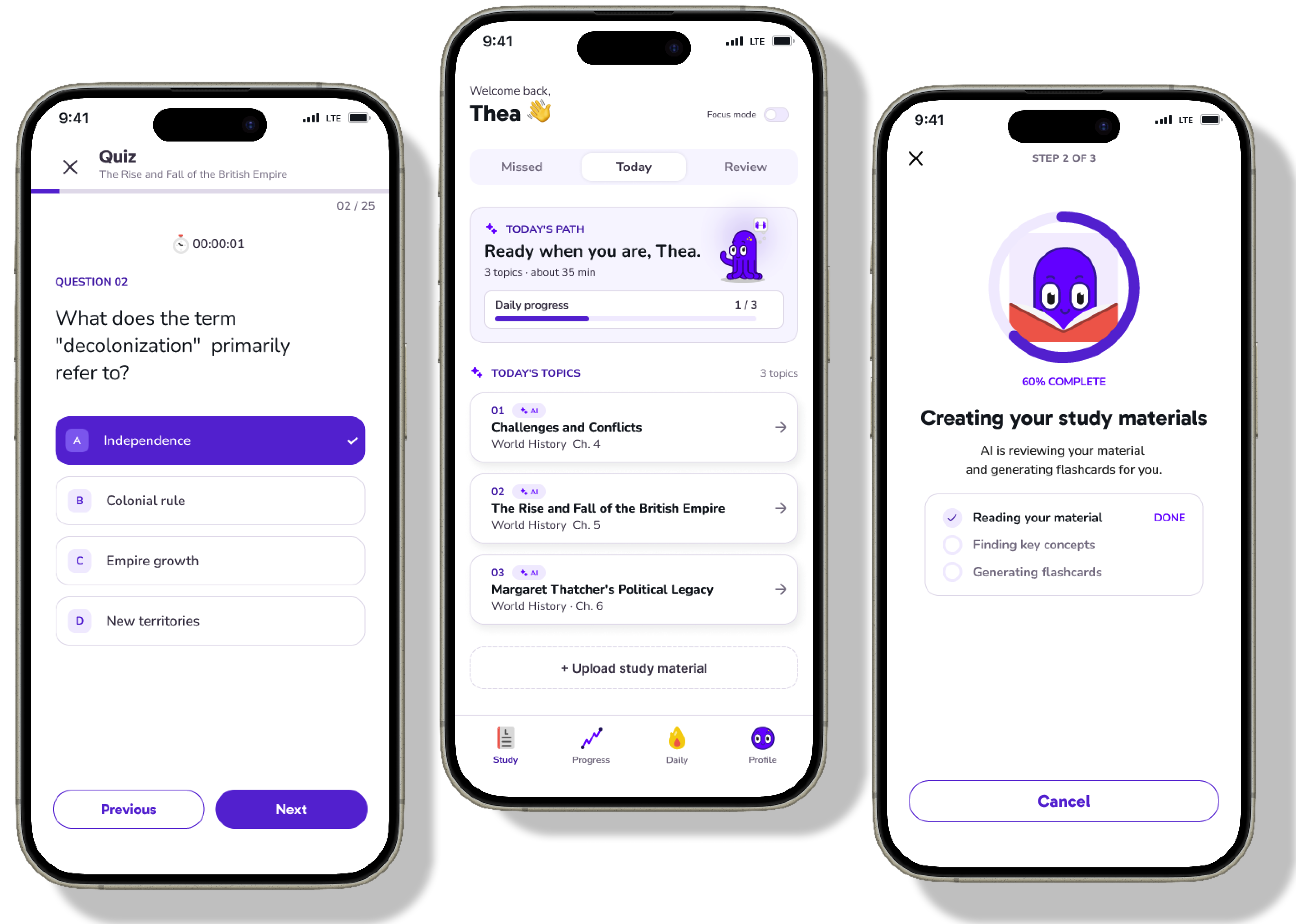
Learnium — Creating an AI-Powered App for Smarter Studying
In this project, we focused on solving a real challenge students face: spending too much time preparing to study, such as summarizing content and creating flashcards, and not having enough time for actual learning. I led the UX process from research to usability testing and designed an AI-powered mobile app that transforms study materials into interactive learning content.
Project Overview
My Role
Product Designer
Teammates
4 Developers, 3 Designers
Platform
Mobile App
Timeline
September 2023 – December 2023
Project Background
This project started from a casual conversation at the library before an exam. When a friend asked me how my studying was going, I realized that I had spent most of my time organizing notes and creating flashcards before I could actually start studying.
After discussing this with the team, we formed a hypothesis that this could be a common problem for many students. We believed that AI could help reduce the burden of study preparation and allow students to focus more on the core parts of learning, such as understanding, reviewing, and memorizing.
My Role
As the Product Designer on the team, I led the design process from user research to information architecture, wireframing, and usability testing.
While all designers on the team contributed across the design process, I focused especially on understanding users and structuring the overall product experience. Based on the research insights, I defined user needs and personas that guided our design decisions, then translated them into the product structure and key user flows.
This helped the team move forward with a consistent, user-centered design direction within a limited project timeline.
Design Process
1. User Research
To better understand students’ study habits and challenges, we conducted user interviews with 9 students. We asked about their usual study routines, preparation process, learning materials, devices, test formats, study planning, and how they used AI tools.
To validate whether the patterns we found in the interviews applied to a broader student audience, we also recruited student participants through Prolific and conducted an online survey with 40 students.
Through this research, we identified the following patterns in students’ learning experiences.
Based on these insights, we decided to create an experience where users could upload study materials and AI would automatically generate summaries, flashcards, and personalized study schedules. This helped address both the time spent on preparation and the challenge of finding enough time to study.
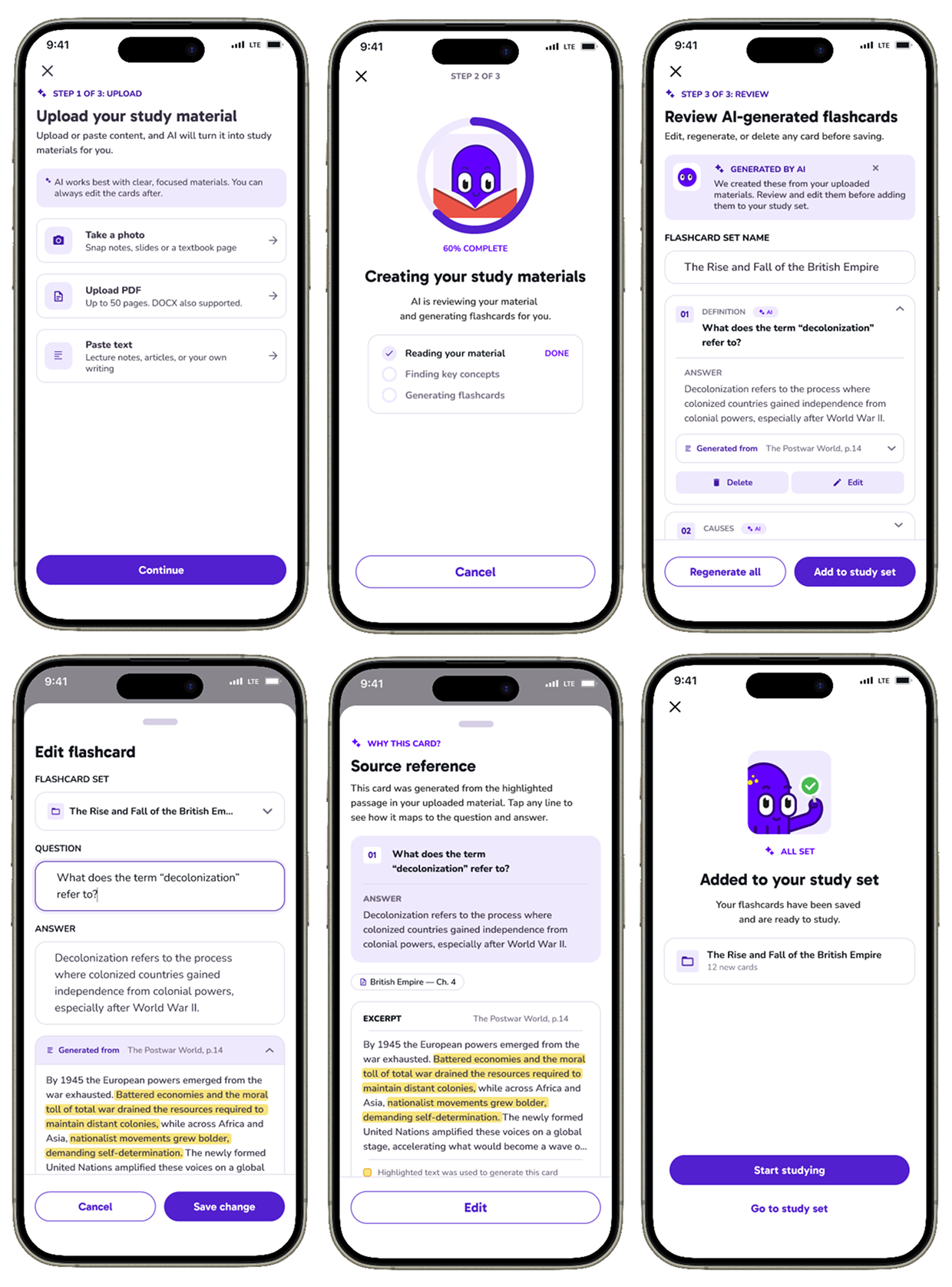
At the same time, we learned that trust was especially important in exam preparation, because inaccurate information could directly affect students’ performance. Therefore, we focused on designing an experience where users could review and edit AI-generated content, instead of simply accepting it as-is.
2. Persona
Based on the research insights, we created a persona that represented our main target user: a university student who is balancing classes, part-time work, and personal life while trying to study efficiently with limited time.
This persona wanted to learn efficiently and was already familiar with using digital services in daily life. Because of this, we believed the product needed to be not only useful, but also enjoyable, friendly, and easy to keep using.
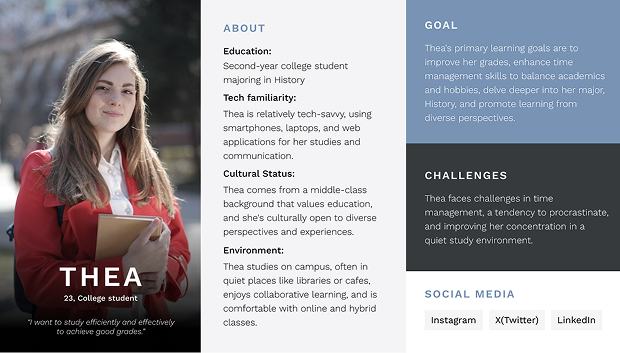
Based on this direction, we defined Learnium’s mission as: “Make learning more fun and effective.” We shared the persona with the team and continued to use it as a reference when prioritizing features and making UX decisions.
3. MVP Planning
Based on the research insights, we listed features that could support students’ learning and organized them into five categories: Input, Organize, Practice, Test, and Progress.
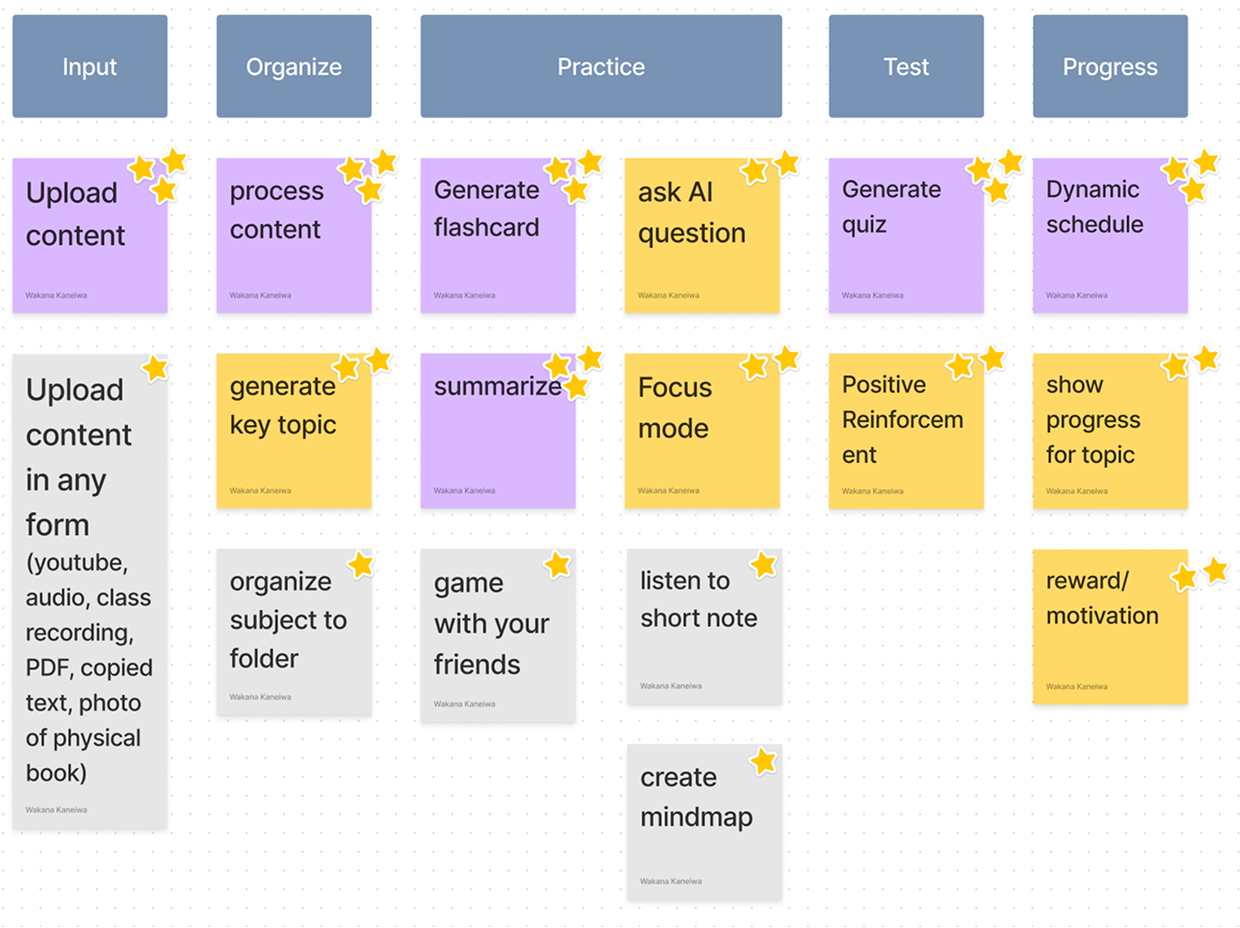
To narrow down the MVP scope, we first defined the product’s most important goal as: reducing the burden of study preparation and helping students study more efficiently. We prioritized features that directly supported this goal. Features such as supporting many different upload formats or organizing materials into folders were considered less critical for the MVP, so we moved them to future iterations.
In this phase, the most important task was not only deciding what to build, but also deciding what not to build, so that we could deliver the most valuable experience within our limited resources.
4. User Flows
Based on the MVP features, we used whiteboard brainstorming to design the overall product structure. We organized the app into key areas: creating study content, daily learning, progress tracking, account management, and notifications.
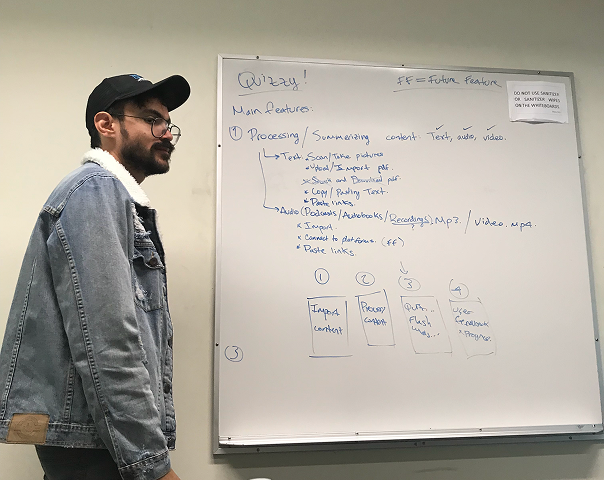
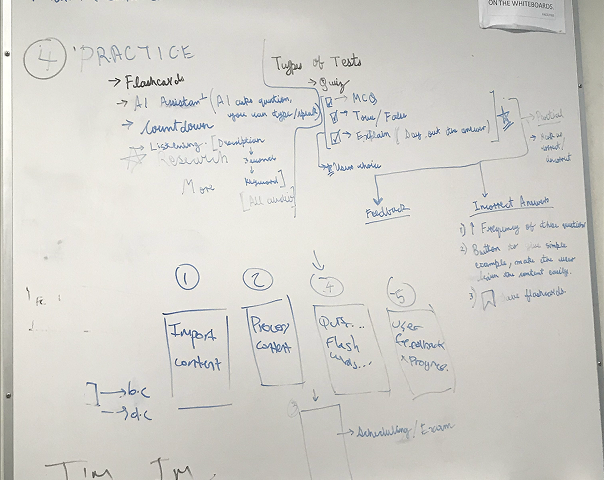
From there, we created detailed user flows showing how users would add study materials, generate and edit learning content based on their goals, and follow a personalized study schedule.
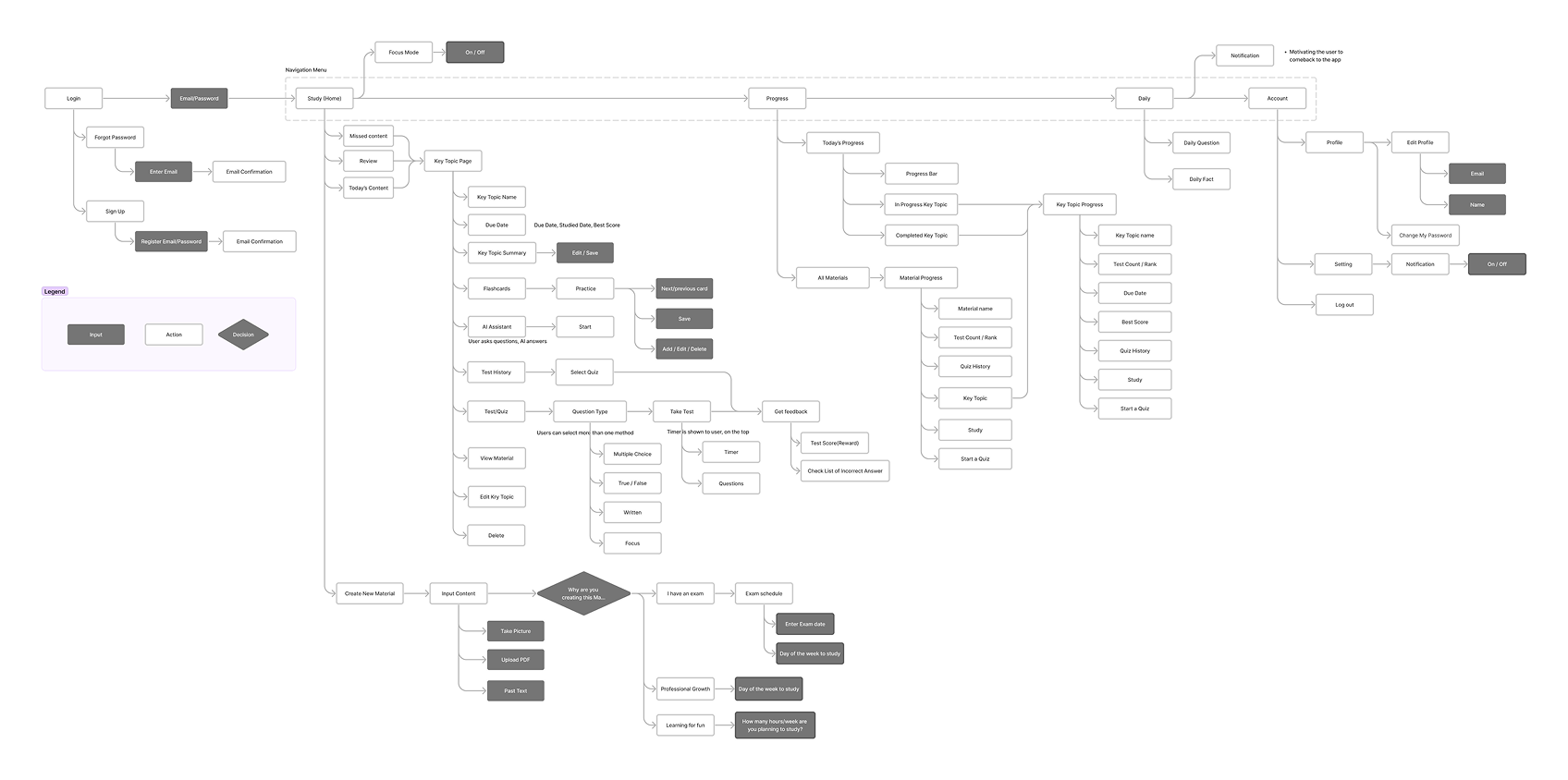
One key design decision in this project was the goal-based flow when creating new material. To generate a more personalized study schedule, users could choose from three learning goals: exam preparation, skill development, or personal interest. Depending on their answer, the flow asked for different information, such as exam dates or study frequency.
5. Wireframing
Based on the user flows, we created low-fidelity wireframes.
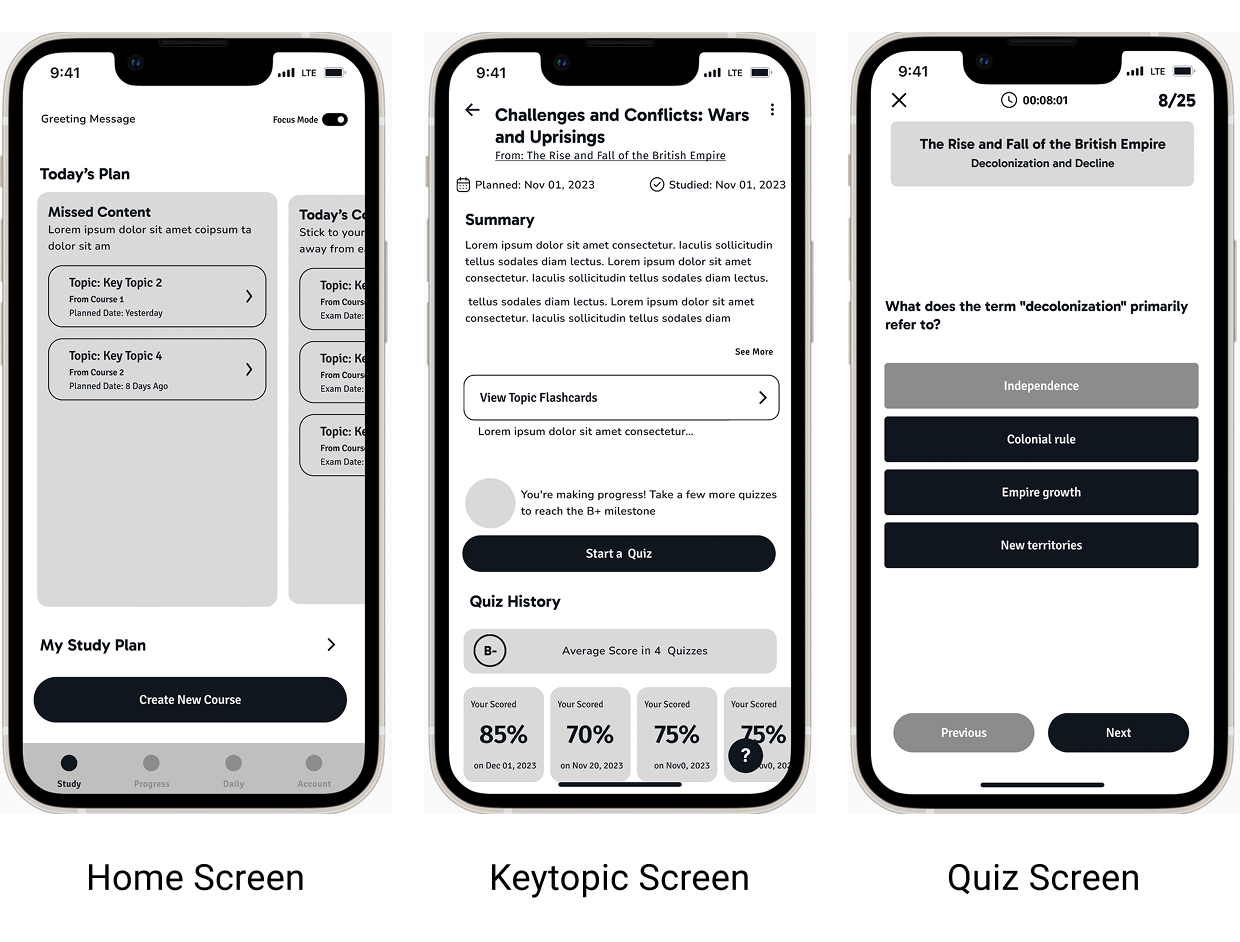
In this phase, I focused especially on two areas.
The first was information prioritization. The Home Screen and Key Topic Screen needed to show a large amount of information, so it was important to decide what users should see first. Since the Home Screen would be used daily, I designed it so users could quickly understand what they needed to do that day.
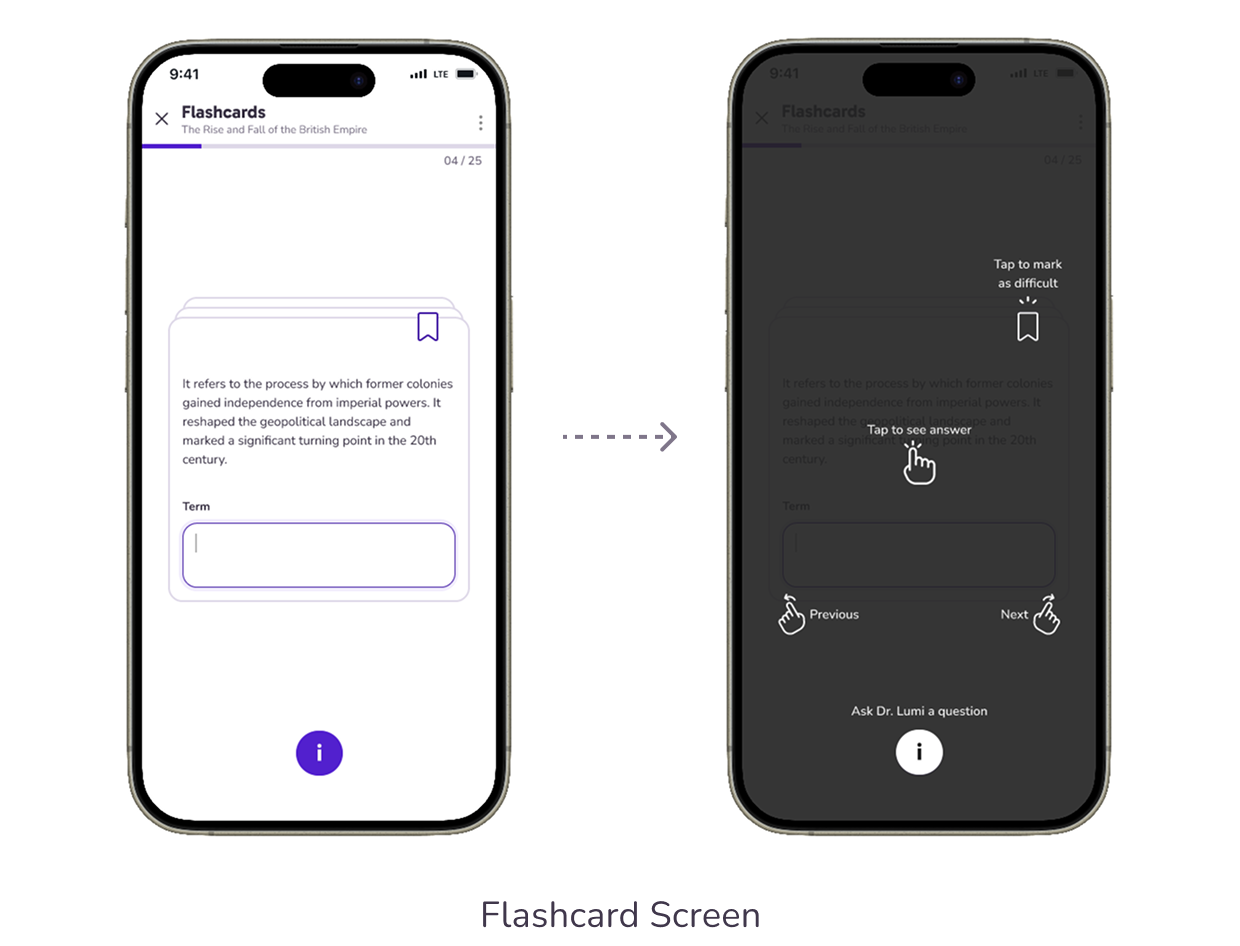
The second was designing an experience that felt like using real flashcards. The core interaction of flashcards is flipping a card. By defining this interaction clearly during the wireframing stage, we were able to align the team on the UX direction before moving into visual design and animation.
6. UI Design
We created a visual identity that balanced playfulness and clarity, reflecting Learnium’s mission to make learning more fun and effective.
To improve consistency and development efficiency, we designed the UI using a component-based approach. This helped us build screens more efficiently while maintaining a cohesive experience across the product.
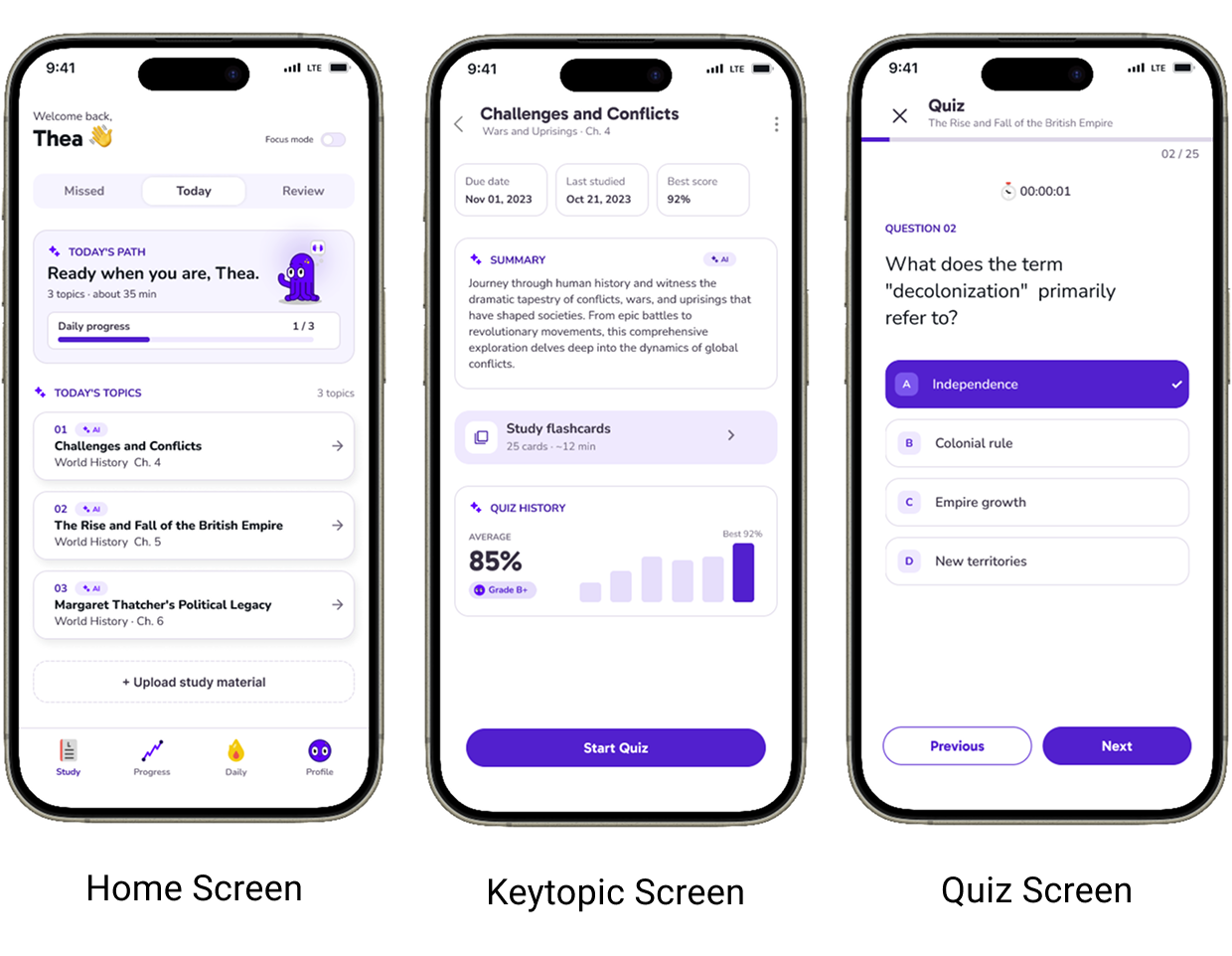
We also introduced Dr. Lumi, the app’s mascot, to make AI feel more approachable and friendly. We added animations to key interactions to bring more delight into the learning experience and strengthen the gamified feeling of the app.
7. Usability Testing
We conducted online usability testing using an interactive prototype. During the tests, we recorded participants’ screens and analyzed task completion and user behavior.
Through the testing, we found that several users were unsure how to interact with the Flashcard Screen. To address this, we added a tutorial so first-time users could understand how to use the flashcards without confusion.
AI Design Considerations
When designing an AI-powered product, the most important question for me was: Can users trust the AI? In a personal area like learning, if users feel that they cannot trust AI, they may quickly stop using the product. To address this, I focused on two design principles.
1. Giving users control
AI-generated study schedules and quizzes were designed to be editable and replaceable by users at any time. Instead of making users feel like “AI decides everything,”
we wanted the experience to feel like “AI gives helpful suggestions.” This allowed users to stay actively involved in their learning process.
2. Making AI explainable
We designed the product so users could check which parts of the uploaded material were used to generate AI content. By showing the source of AI-generated content,
we reduced uncertainty around “why did AI create this?” and helped build user trust.
Overall, we used a model of: AI suggestion → human review → action. We also made it clear in the UI when AI was working and when the user was in control. Through the character Dr. Lumi, we made AI feel more familiar and approachable, helping users gradually build trust as they used the product.
Outcomes
After improving the product through usability testing, we created a more intuitive learning experience. Learnium won 1st place at the Langara College Capstone Showcase.
Through this project, I learned that AI can reduce the burden of study preparation, but users need transparency, control, and the ability to review AI-generated content in order to feel comfortable using it.
Clearly showing when AI is working and where users can step in became an important design principle for me when designing AI-powered products.